
Today’s students handle multiple assignments, tight deadlines, and constant academic pressure. This is where free AI tools for students assignments can make a real difference. Research, writing, presentations, summaries, and revisions often require hours of work.
Tech professionals are no longer the only ones who use artificial intelligence. Many free AI tools are now designed specifically to help students complete assignments faster, improve quality, and reduce stress—without requiring advanced technical skills or paid subscriptions.
In this guide, you will learn:
- What AI tools can be used for assignments
- How to use them ethically and safely
- The best free AI tools for students’ assignments (step-by-step)
- Tips to avoid plagiarism and mistakes
This article is written for beginners and follows Google-friendly, student-safe practices.
Best AI Search Tool: A Complete Guide for Smarter & Faster Searching
Table of Contents
Why Students Are Using Free AI Tools for Students Assignments

Assignments are not just about writing; they involve understanding topics, structuring answers, editing, and presenting information clearly and effectively. AI tools help at every stage.
Key Benefits
- Saves time on research and drafting
- Improves grammar, clarity, and structure
- Helps with brainstorming ideas
- Makes complex topics easier to understand
- Available 24/7 and mostly free
Used correctly, AI becomes a study assistant, not a shortcut.
How AI Helps in Different Types of Assignments
Different assignments need different support. Free AI tools for students’ assignments can help with:
1. Written Assignments
- Essay drafts
- Short answers
- Reports
- Case studies
2. Notes & Summaries
- Long chapters → short notes
- Revision-friendly summaries
3. Presentations
- Slide content
- Bullet points
- Topic outlines
4. Research Support
- Topic explanations
- Examples
- Structure guidance
How AI Works: A Simple Explanation for Beginners
Best Free AI Tools for Students’ Assignments
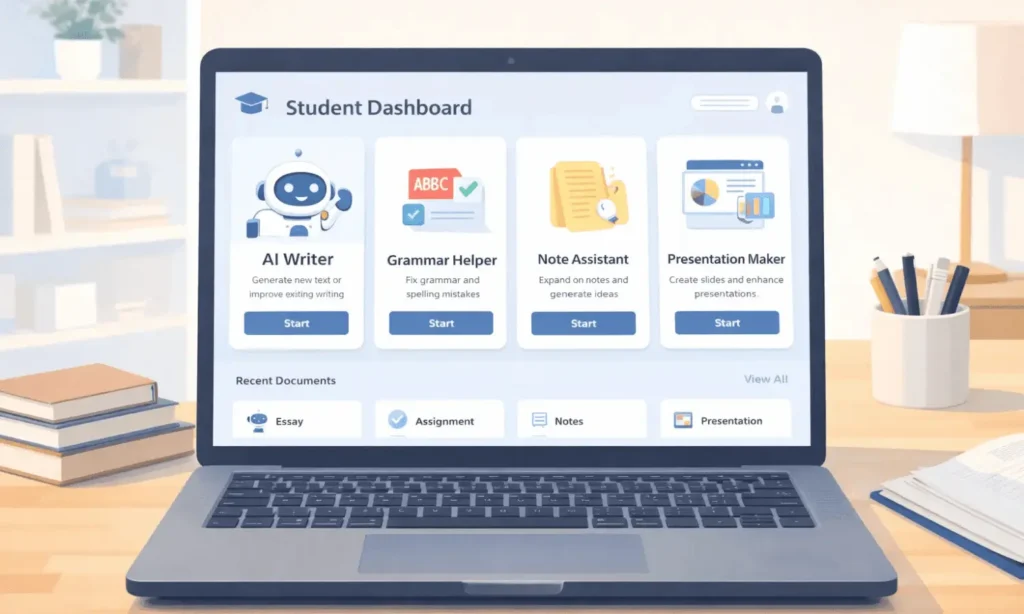
Below are safe, popular, and beginner-friendly tools students commonly use. All offer free access with basic features.
1. ChatGPT
Best for: Writing drafts, explanations, ideas
ChatGPT is one of the most widely used free AI tools for students’ assignments. It helps students understand topics, generate outlines, and improve clarity.
How students use it:
- Ask for the assignment structure
- Get explanations in simple language
- Draft rough answers and then edit
Example Prompt:
For a school project, describe photosynthesis in plain language.
Tip: Always rewrite answers in your own words.
ChatGPT for Beginners: A Complete Guide (Zero to Pro)
2. Grammarly
Best for: Grammar, spelling, sentence clarity
Grammarly’s free version checks:
- Grammar mistakes
- Punctuation
- Sentence readability
Students often write good content but lose marks due to language errors. Grammarly helps polish assignments before submission.
Best Practice: Use it after writing your final draft.
3. QuillBot
Best for: Paraphrasing and rewriting
QuillBot helps students rewrite sentences in a new way, which is useful when:
- Improving clarity
- Reducing repetition
- Avoiding accidental plagiarism
Important: Do not directly submit AI-rewritten content without reviewing it.
4. Notion
Best for: Organizing assignments and notes
Notion is not just a notes app. Students use it to:
- Plan assignments
- Store research
- Track deadlines
It helps manage workload and stay organized throughout the semester.
5. Canva
Best for: Presentations and visual assignments
Canva offers free templates for:
- College presentations
- Project covers
- Infographics
Students can quickly create professional-looking slides without design skills.
How to Use Free AI Tools for Assignments Ethically
Using AI tools does not mean cheating—if used responsibly.
Ethical Usage Rules
- Use AI for help, not final submission
- Always review and edit content
- Do not copy answers blindly
- Follow your school or college guidelines
AI should assist learning, not replace it.

Common Mistakes Students Should Avoid
Even the best free AI tools for student assignments can cause problems if misused.
Avoid These Errors
- Submitting AI output without editing
- Using AI for exams or restricted tasks
- Ignoring plagiarism checks
- Relying on one tool only
Human understanding + AI assistance = best results.
Powerful Student Prompts Library
Tips to Get Better Results from AI Tools
- Ask clear, specific questions
- Request step-by-step explanations
- Combine 2–3 tools (writing + grammar + design)
- Always add personal understanding
The smarter the prompt, the better the output.
Frequently Asked Questions (FAQs)
Q1. Are free AI tools for students’ assignments safe?
Yes, most popular tools are safe if used responsibly. Avoid sharing personal or exam-related information.
Q2. Can AI tools improve grades?
AI tools can improve clarity, structure, and presentation, which may help improve grades when combined with your own effort.
Q3. Is using AI tools considered cheating?
Using AI for learning and support is generally allowed. Submitting AI-generated work as your own without editing may violate academic rules.
Q4. Do I need to pay for AI tools?
No. Many free AI tools for student assignments offer enough features for daily academic use.
Final Thoughts
Free AI tools are changing how students study and complete assignments. When used ethically, they save time, improve understanding, and reduce stress. Instead of struggling alone, students can use AI as a smart academic assistant.
If you are a student looking to work smarter—not harder—these free AI tools for students assignments can be a powerful support system.










2 thoughts on “Free AI Tools for Students’ Assignments (Complete Beginner Guide)”