Introduction of AI Video Editing Tools
Going viral isn’t really about luck anymore — it’s about how quickly you can produce content and how often you can show up. The creators who grow the fastest on YouTube Shorts, Instagram Reels, and TikTok all have one thing in common: they rely on AI video editing tools to work faster, post more, and make videos that keep people watching.
Before this, editing a single 1-minute video could take hours.
Now? AI tools can finish the job in minutes. They auto-caption, cut out mistakes, add jump cuts, find the best hook moments, insert B-roll, and can even build full faceless videos from scratch.
See our guide: How Creators Use ChatGPT to Produce Content Faster
If you’ve ever wondered things like:
✔ How do creators post multiple times per day?
✔ How can one long video turn into 20 viral clips?
✔ How do captions magically appear on every short?
✔ How do faceless channels pump out content nonstop?
This guide breaks down exactly how creators use AI video editing tools to scale their output, stay consistent, and go viral more often.
Table of Contents
Why AI Video Editing Tools Are Taking Off
Creators today compete on speed and volume just as much as creativity. Platforms reward people who post often and keep viewers watching.
AI video editing tools help creators:
✔ Edit much faster
✔ Produce way more content
✔ Keep their videos looking consistent
✔ Remove technical editing hurdles
✔ Turn long videos into lots of short clips
✔ Add captions and effects without doing it manually
Here’s what’s fueling the rise:
Short-form content is everywhere
Shorts, Reels, TikTok — they all reward frequent posting.
No editing experience needed
Anyone can make clean, professional videos.
Time-consuming tasks are automated
Captions, B-roll, voiceovers, and trimming take minutes instead of hours.
Faceless content is booming
AI tools make faceless video production unbelievably simple.
How Creators Use AI Video Editing Tools to Go Viral
1. Turning Long Videos into Viral Clips
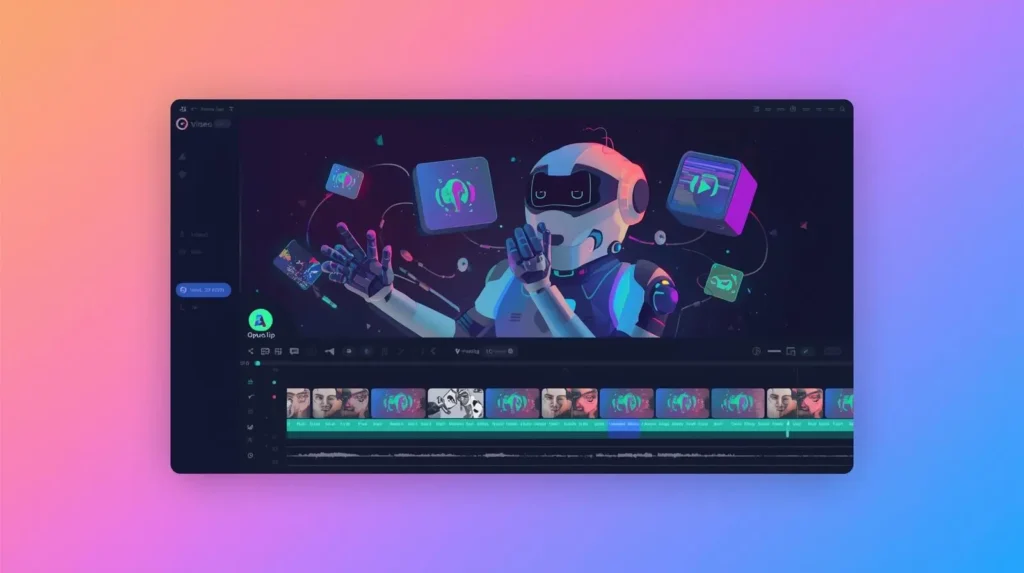
Creators upload a long video, podcast, or interview into a tool like Opus Clip.
It automatically:
✔ Finds high-retention moments
✔ Cuts them into clips
✔ Adds captions
✔ Highlights key words
✔ Generates several short versions
This method alone has pushed tons of creators into viral territory. The creator focuses on recording — AI takes care of the slicing and polishing.
Prompt to use:
“Find the most viral 7–15 second clips and add high-retention captions.”
2. Auto-Captions That Boost Watch Time
Pretty much every viral short uses dynamic captions because most people watch without sound.
Tools like CapCut AI, VEED, and Descript can instantly generate:
✔ Word-by-word captions
✔ Highlighted keywords
✔ Emojis
✔ Motion text
✔ Accurate timing
✔ Color variations
Dynamic captions alone can multiply watch time, which directly helps videos go viral.
3. AI Voiceovers for Faceless Creators
Creators who prefer not to record their own voice now lean on AI voice tools.
Platforms like Eleven Labs, Murf AI, and Descript Overdub let you:
✔ Generate natural-sounding voiceovers
✔ Pick the tone or speaking style
✔ Avoid background noise
✔ Clone your own voice
✔ Produce content in multiple languages
Perfect for faceless YouTube channels or creators who want quick audio without recording gear.
4. Automatic B-Roll & Visual Add-Ons
Tools such as Pictory and Runway can pull or generate visuals automatically.
They can:
✔ Add B-roll that matches your script
✔ Find relevant stock footage
✔ Add zooms and transitions
✔ Enhance scenes
✔ Insert motion graphics
No more digging through stock sites — the AI does the searching.
5. Making Full Faceless Videos with AI
Faceless channels are growing like crazy because:
✔ No camera needed
✔ No on-screen presence
✔ Content gets produced fast
✔ AI handles the visuals, voiceover, and editing
A typical workflow looks like this:
ChatGPT → Script
ElevenLabs → Voiceover
Pictory / Runway → Visuals
CapCut → Final edits
Midjourney → Thumbnail
This lets creators publish more content with way less effort.

6. Removing Filler Words Automatically
Tools like Descript can clean up audio instantly.
It can:
✔ Delete ums, uhs, likes
✔ Create automatic jump cuts
✔ Fix slip-ups
✔ Improve audio quality
✔ Sync the audio and captions
This saves hours of manual editing.
7. Full Automation Workflows (Mass Content Output)
Many creators build systems like:
Record once → Publish everywhere
AI can automatically:
✔ Split videos
✔ Make Shorts/Reels
✔ Add captions
✔ Add effects
✔ Export in the right size for each platform
This is exactly how high-volume creators stay consistent.
Conclusion
AI isn’t replacing creators — it’s helping them scale.
Creators who use AI video editing tools are:
✔ Posting more often
✔ Growing faster
✔ Producing better content
✔ Staying consistent
✔ Building repeatable systems
✔ Cutting down editing time
This is the future of online video, and you’re stepping into it early.
“Explore our Creator Prompt Library.”
Frequently Asked Questions
Q1: Are AI video editing tools beginner-friendly?
Yes, they’re made so anyone can use them.
Q2: What’s the best combo for viral Shorts?
Opus Clip paired with CapCut AI.
Q3: Can AI make full videos on autopilot?
Yep — that’s how many faceless creators operate.
Q4: Do these tools help with YouTube growth?
For sure. Faster editing means more uploads, which leads to more reach.
Q5: Which AI makes the best voiceovers?
Eleven Labs sounds the most natural.










3 thoughts on “Powerful AI Video Editing Tools for Go Viral Fast (Complete Guide)”